Know what’s in stock.
See quantities, low-stock products and every movement behind them.
Manage sales, inventory, purchases, suppliers, customers and invoices in one connected system.
With AI-powered invoice scanning.
Upload a supplier invoice and let AI extract the data.
| Product | Qty | Unit price | Match status |
|---|---|---|---|
| Engine oil 5W30 | 12 | 89 DH | Matched |
| Oil filter | 6 | 45 DH | Matched |
| Brake fluid | 4 | 38 DH | Review required |
| Air filter | 3 | 52 DH | Matched |
Use sytemano in Arabic, French or English, with a right-to-left interface in Arabic.
Sales shouldn’t live apart from stock. Purchases shouldn’t disappear into spreadsheets. Bring the work together.
See quantities, low-stock products and every movement behind them.
Find products, build a cart and record a sale with connected invoices.
Keep suppliers, purchase orders and receiving in the same workflow.
Follow sales, payments and inventory through focused business reports.
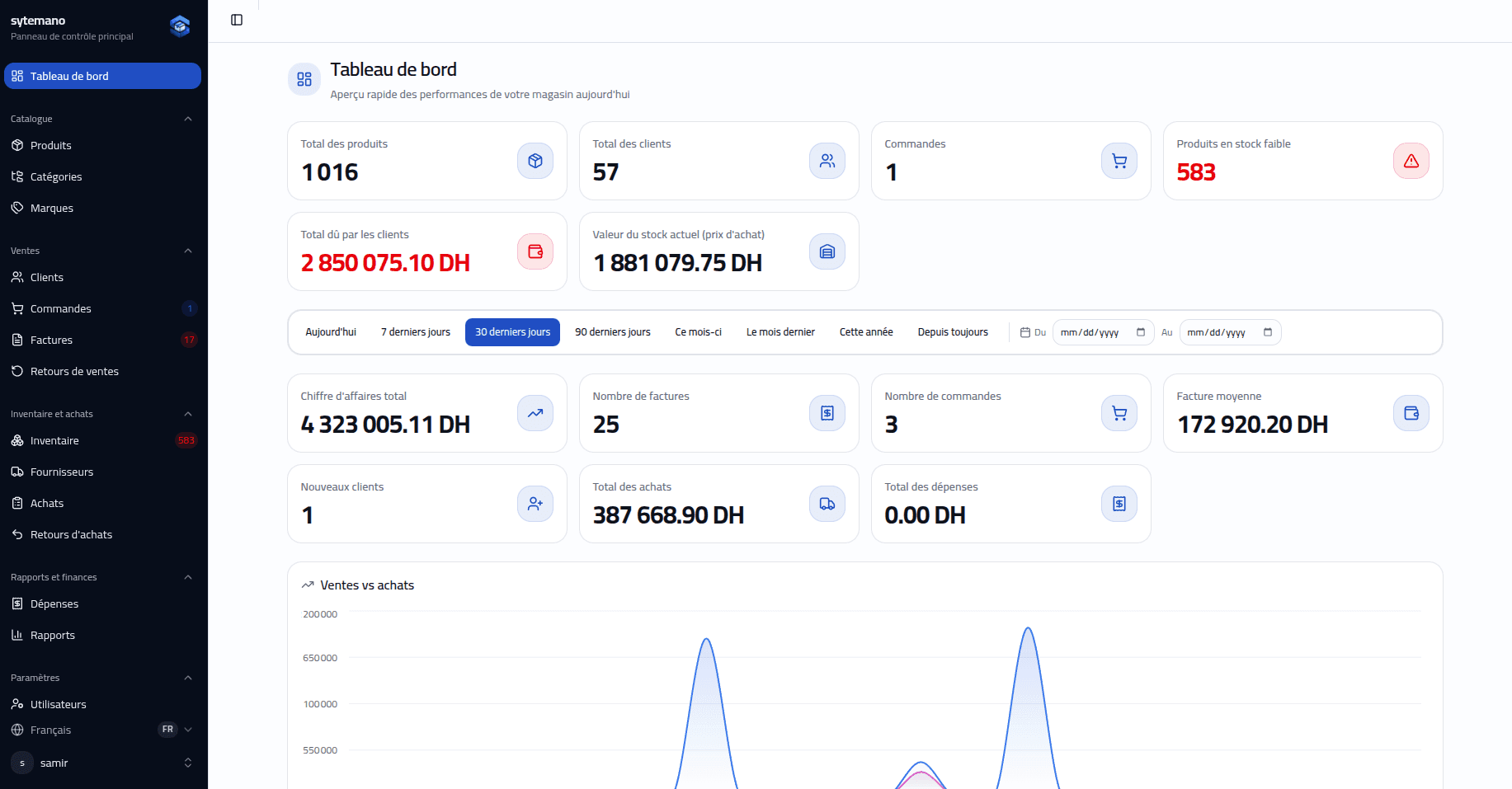
One place to start the day. Every part of the operation within reach.
A clear view of the work that matters.
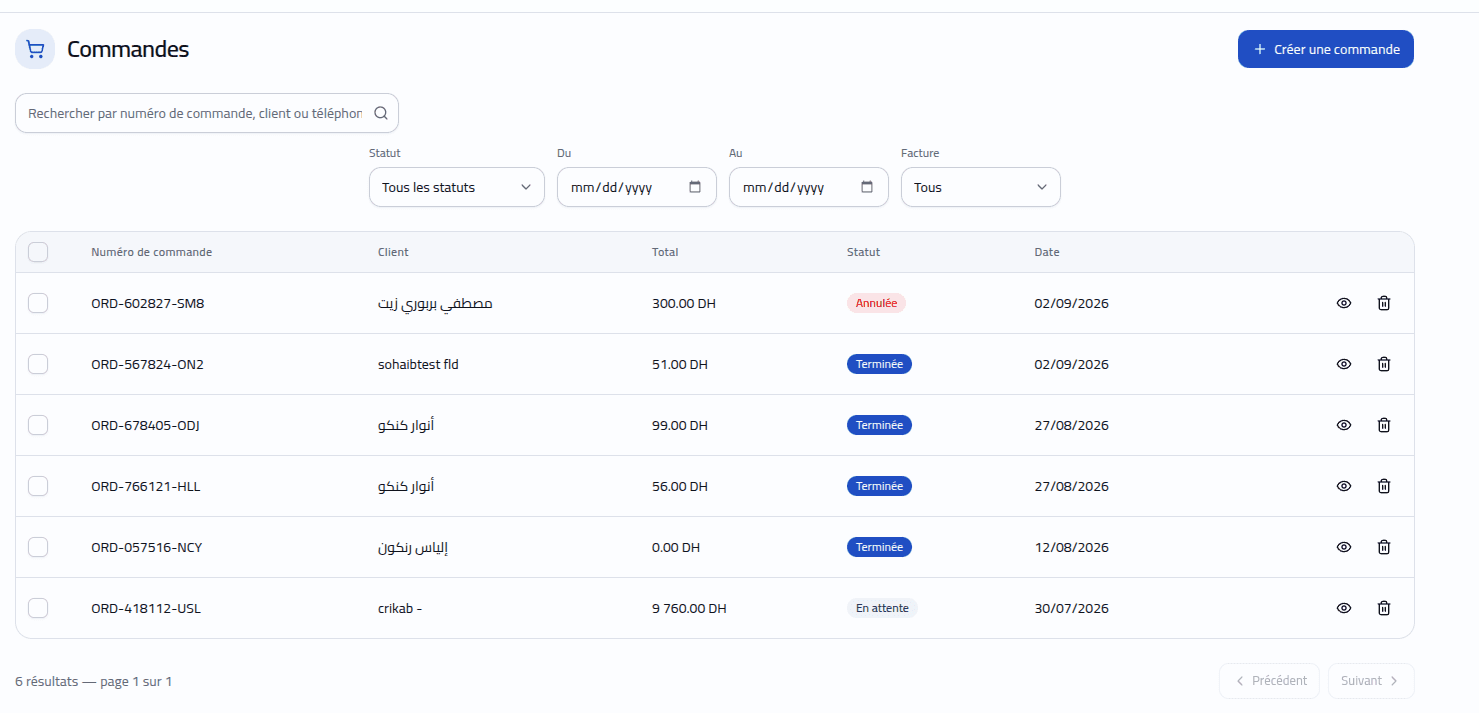
Review customer orders, products and totals in one place.
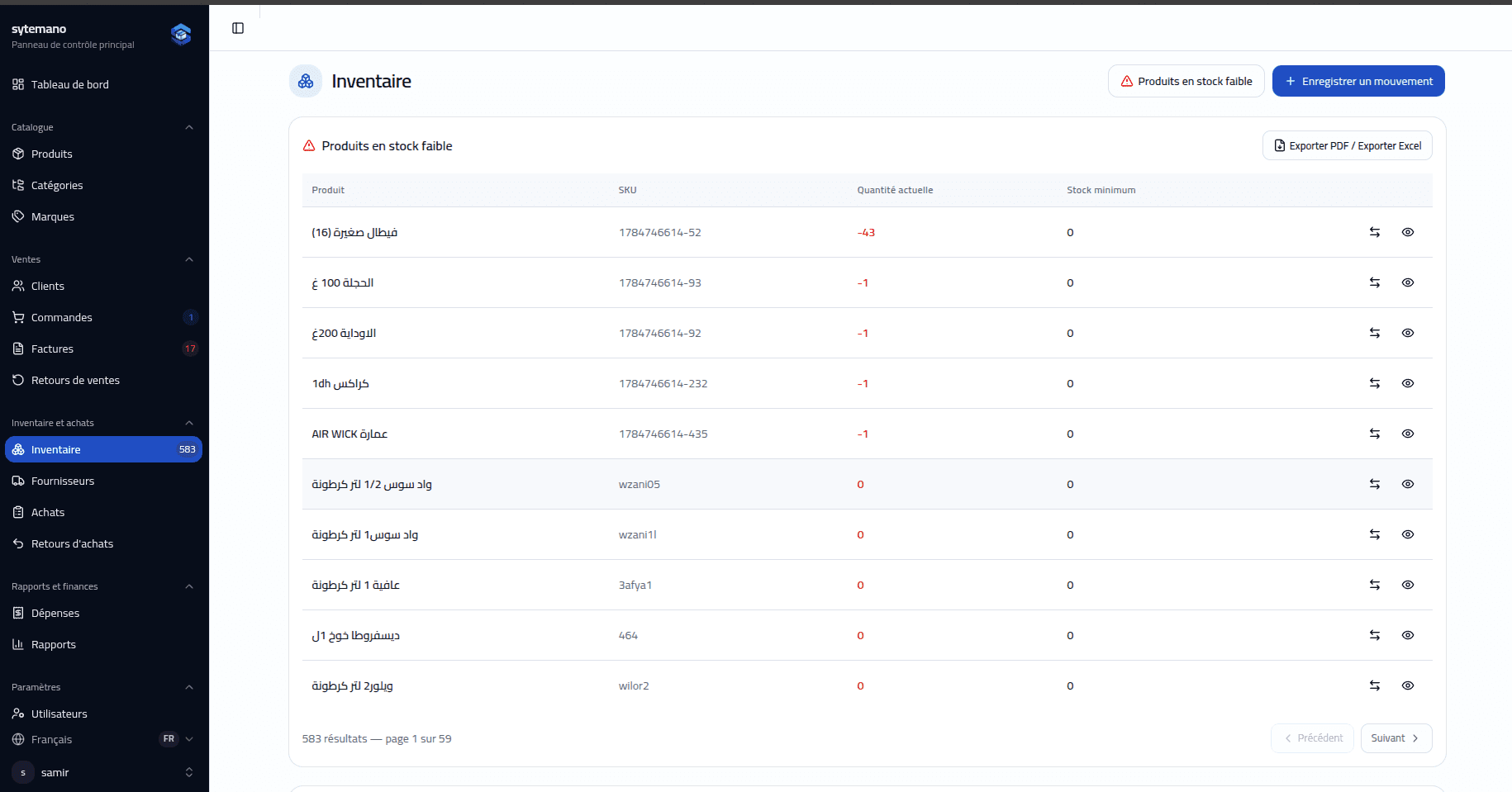
Know what you have, and how it got there.
Keep suppliers, purchases and receiving together.
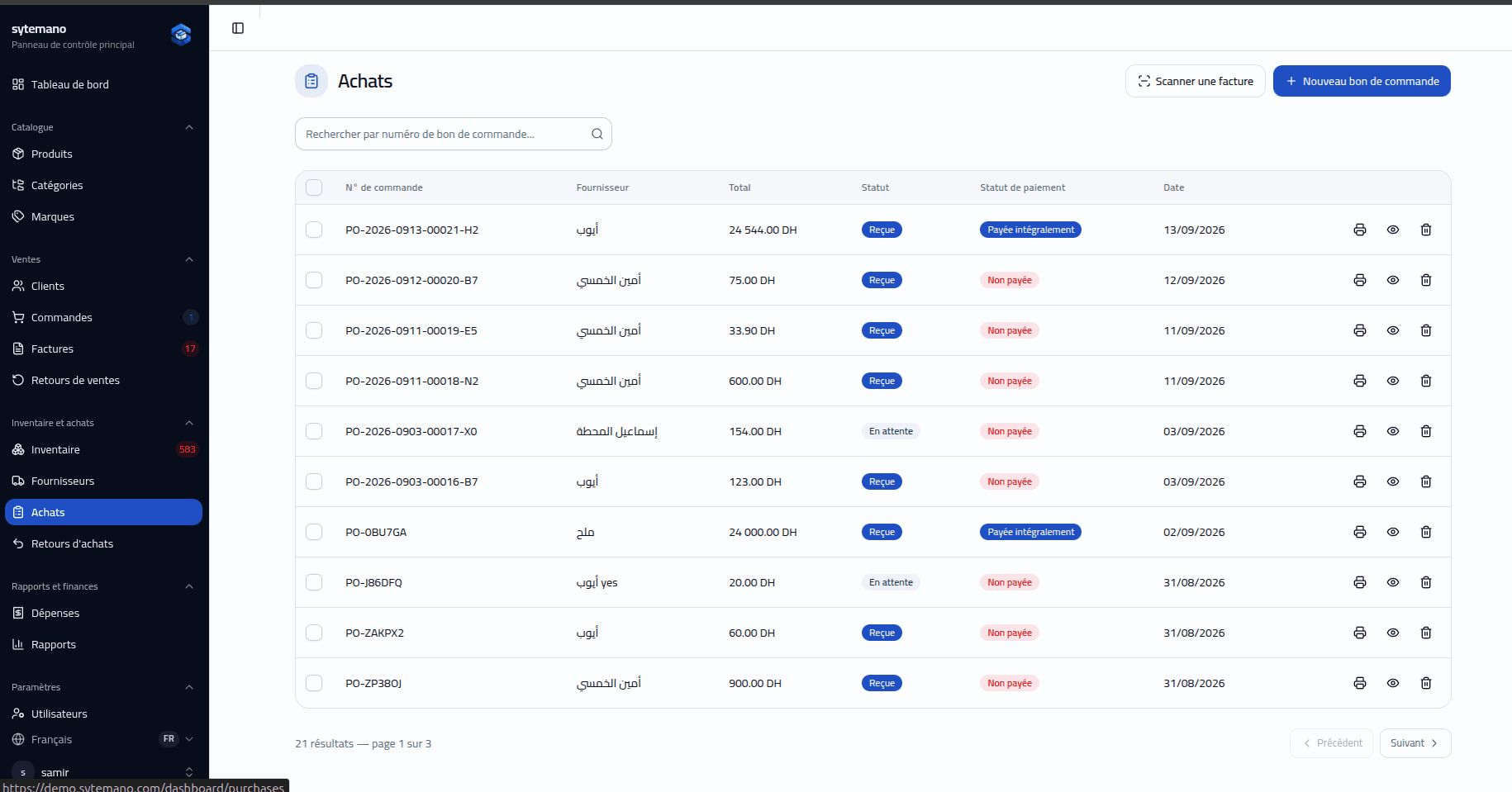
Give every business decision more context.
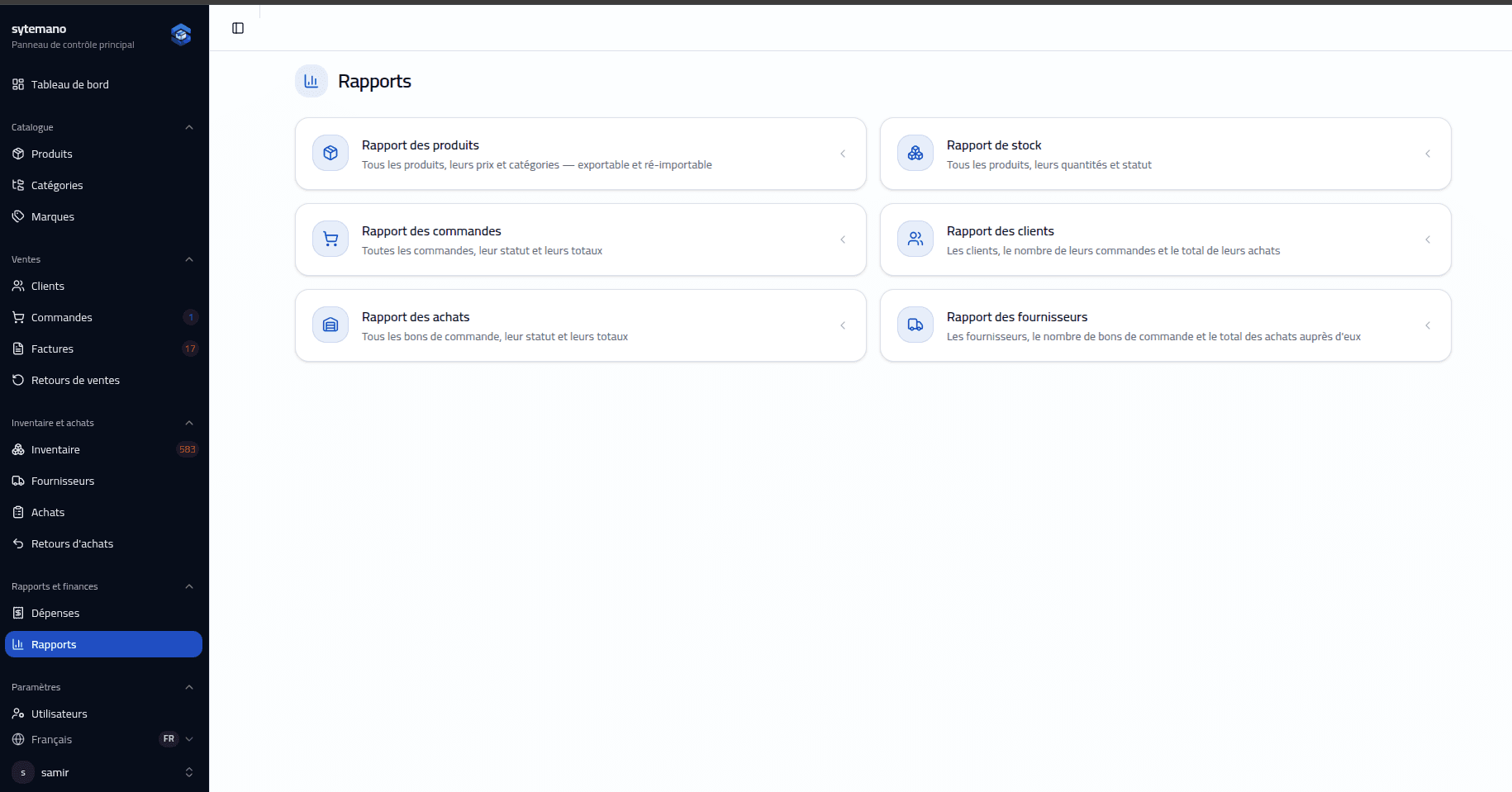
Turn supplier invoices into purchase data. Upload a PDF or image, extract the details, then review product matches before you confirm.
Your review comes before confirmation.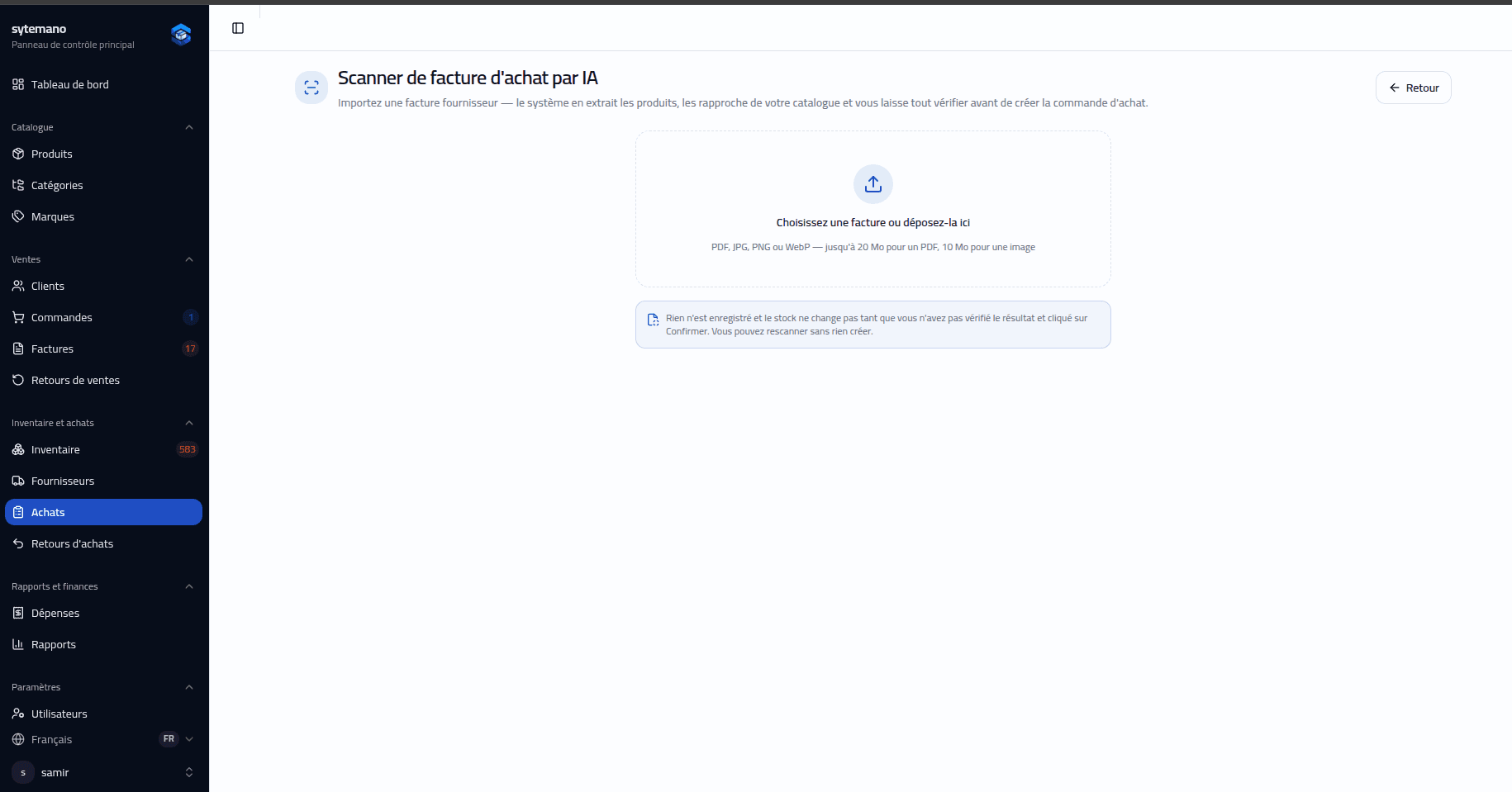
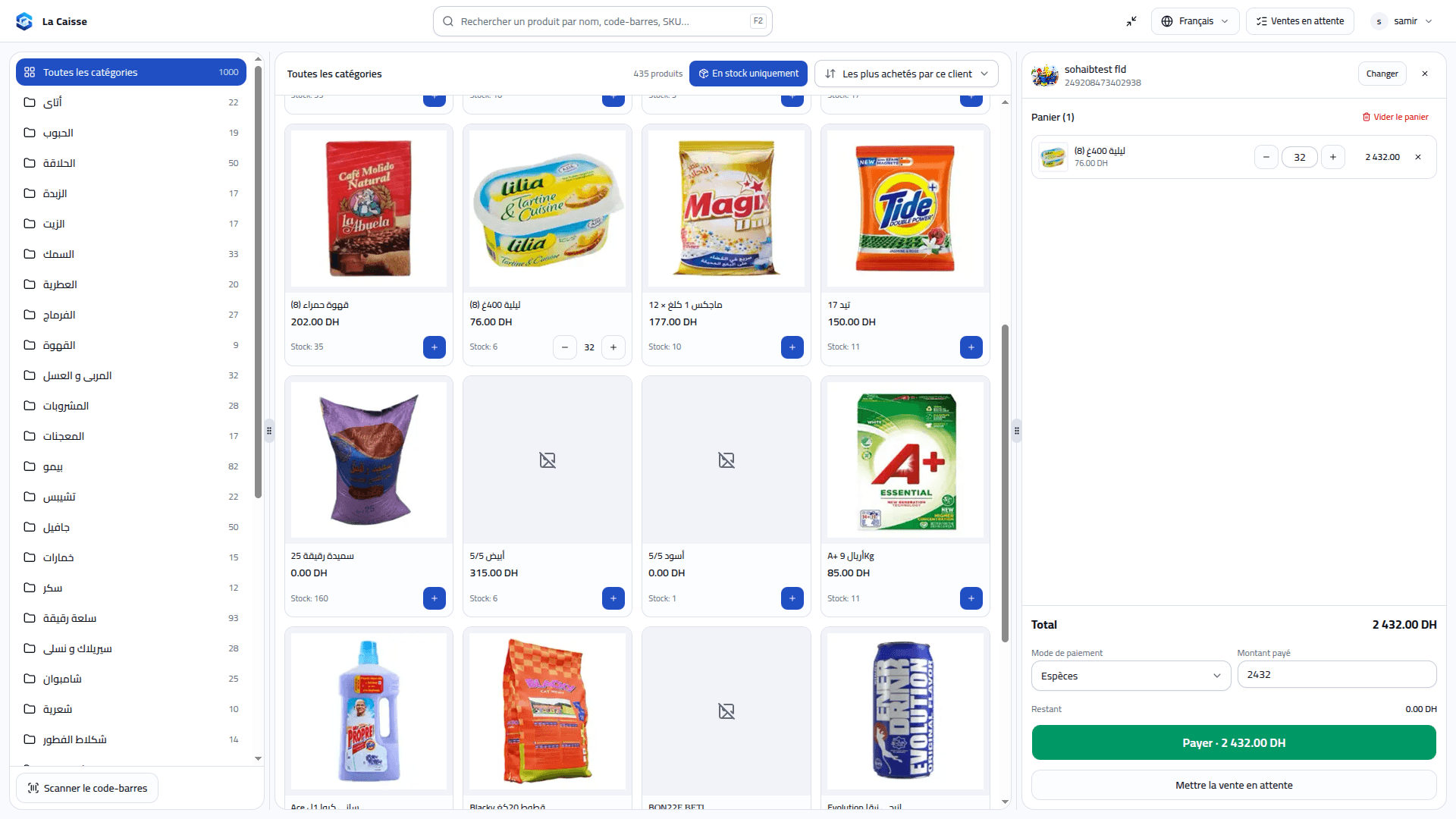
Give cashiers a dedicated workspace to select a customer, scan products, build the cart and record payment. Each completed sale stays connected to inventory and its invoice.
Know what’s on the shelf and what needs attention. Follow stock from receiving to sales, with a movement history you can trace.
Give every delivery a clear record. Create purchase orders, track supplier payments and receive products into inventory.
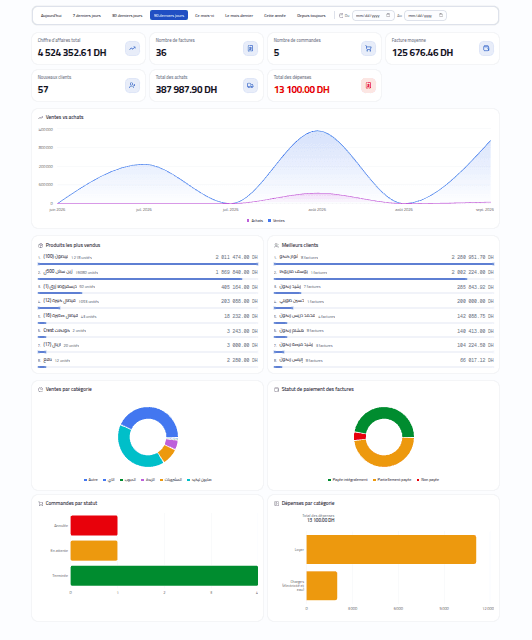
Move between sales trends and the products, customers and suppliers behind them. Use date filters to focus on the period that matters.
Caisse, orders, invoices, inventory, customers, purchases and reports—all your team’s tools in one place.
Find products by barcode, adjust the cart, select customers, hold sales, record payments and print invoices.
Try caisseCreate customer orders, update items and prices, follow statuses and generate invoices.
Create invoices, print or download PDFs, record payments and review payment history.
Return invoice items, record their condition, track refunds or customer credit and stock movements.
Product images, SKU, barcode, purchase cost, three selling prices and minimum stock levels.
Organize your catalogue by category and brand to find products more easily.
Import product records from Excel with field validation and row-level error feedback.
Check quantities and stock alerts, record stock IN, OUT and manual adjustments.
Trace movements associated with sales, purchases, returns and manual adjustments.
Manage contact details, favourites, outstanding balances and balance adjustments.
Review customer transactions and product details using statement filters, tables and charts.
Maintain supplier accounts, product and purchase history, balances and supplier payments.
Create purchase orders, edit items, attach documents, record payments and receive stock.
Upload a PDF or image, extract invoice lines, review product matches and confirm a purchase.
Return products to suppliers and record refund amounts, supplier credit and stock movements.
Record rent, salaries, transport, utilities and other expenses with dates and descriptions.
Date filters, revenue trends, category sales, payment status, expenses and low-stock indicators.
Explore order, product, customer, supplier, purchase and inventory reports; export CSV, Excel or PDF, or print.
Manage staff accounts, reset passwords and assign roles with permissions for each module.
Work in Arabic, French or English, with customizable app naming, logo and light/dark theme colours.
Add your products, suppliers and team. Assign the access each person needs.
Make sales, manage purchases and keep stock moving in one workspace.
Review movements, balances and reports to understand what comes next.
Whether you run a retail store or a wholesale business, bring your products, orders and stock into one workspace.
Explore sytemano for 10 days and see how it fits your daily work. Contact us to request your trial.
The technologies powering your workspace, from the interface to your business data.
Application & navigation
Interactive interfaces
Typed application code
Responsive design
Business database
Database access
Account authentication
Invoice extraction
Built around how the platform actually works.
Recording a sale through an invoice or the POS updates product quantities and records the corresponding inventory movement. You can review movement history in the inventory workspace.
Yes. You can create supplier records and purchase orders, record supplier payments, attach purchase documents and receive purchased products into stock.
Yes. Staff have individual accounts with assigned roles. Roles grant permissions for viewing or managing business modules, and permission checks are enforced on the server.
Upload a supplier invoice as a PDF, JPG, PNG or WebP image. The scanner extracts fields and suggests product matches. Review the extracted quantities, prices and matches, resolve missing information, then confirm the purchase. AI output needs human review.
Yes. The application includes sales returns and purchase returns, with item conditions, refund tracking and corresponding stock movements.
Reports cover orders, products, customers, suppliers, purchases and inventory. Dashboard analytics include sales trends, category sales, payment status and expenses.
The application has responsive layouts for smaller screens. Larger screens give detailed tables, reports and the cashier workspace more room.
Sales, inventory and purchasing. All in one place.